

Player Training
Apple Watch Apps for Basketball Training: A Coach's Practical Guide
Discover how basketball and netball coaches can use Apple Watch apps to refine conditioning, recovery, and skill practice—then connect that insight with Vanta Sports for a complete youth-team ecosystem.
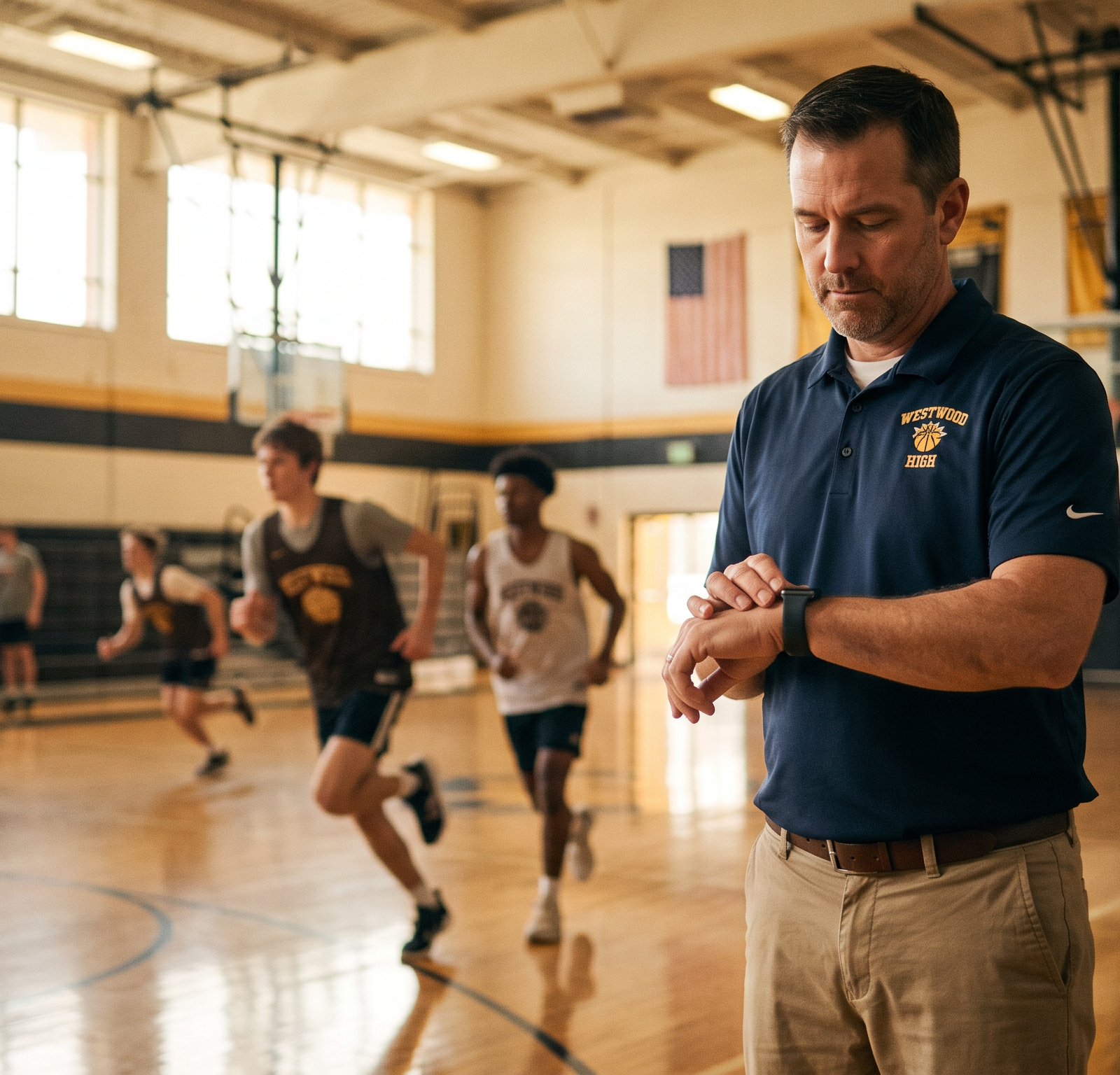
Apple Watch apps can make basketball training more intentional, but the strongest results come when coaches treat the watch as a conversation starter—not a scoreboard. For basketball and netball coaches, the practical value is clear: use simple heart-rate and session trends to shape the pace of a drill, then keep technical execution, athlete feedback, and safeguarding at the centre of every decision.
Why Apple Watch Apps Matter for Basketball Training
Basketball and netball are intermittent court sports. Players repeatedly accelerate, decelerate, change direction, jump, land, and make decisions in short, intense sequences. An Apple Watch will not replace a coach’s eye, but it can add useful individual context to a session: how hard a player’s body is working, how long it takes to recover between efforts, and whether a conditioning block is producing the pattern the coach intended.
Apple’s native Workout app includes a Basketball workout option and can display active calories, heart rate, and distance during supported sessions. Players can set goals and review workout history afterwards in the paired Fitness app.1 The newest opportunity is not the number on the screen; it is the chance to build player awareness. A young athlete who can connect a high heart rate with rushed footwork, poor passing, or a missed lay-up starts to understand the relationship between physical effort and technical quality.
Coaching principle: Use Apple Watch data to ask better questions—“How did that interval feel?” and “What happened to your footwork when you tired?”—rather than to make a verdict about a player.
A recent living systematic review found that Apple Watch heart-rate estimates had a small average bias overall but moderate measurement variability, while energy-expenditure estimates were inconsistent and often showed substantial error.4 Earlier exercise research also reported that wrist-derived heart-rate validity decreased as exercise intensity rose.5 Those findings are especially relevant to fast, arm-driven court activity. Track trends across comparable sessions, not a single reading or calorie total, and never use a consumer wearable to diagnose, select, or label a young player.
| Apple Watch signal | Productive coaching use | What not to infer |
|---|---|---|
| Heart-rate trend | Whether a repeated court interval is creating the intended work-to-rest pattern | Exact fitness ranking or medical readiness |
| Recovery pattern | Whether a player needs a little more quality rest before the next explosive repetition | That one slow recovery value proves fatigue or illness |
| Time in zone | Whether a conditioning block is generally easy, moderate, or hard for that athlete | That every player must reach the same number |
| Active calories | A broad, personal activity record | A precise workload, nutrition target, or reason to compare players |
Scroll horizontally to see every column.
Set Up Apple Watch Workouts for Coaching Value
Start with the simplest reliable workflow. For a basketball practice, ask participating players to choose the Basketball workout before the warm-up and end it only after the cooldown. This creates a consistent record of session duration and heart-rate response. For netball conditioning blocks, choose a suitable cardio or HIIT workout when you want to use the zone view; do not force a label that does not match the activity. Consistency of setup matters more than finding a perfect preset.
Apple Watch can automatically create five personalised heart-rate zones using the player’s health data, and allows zones to be edited manually. On compatible cardio workout views, athletes can see their current zone, heart rate, time in zone, and average heart rate.2 For a youth team, avoid prescribing a universal target such as “everyone must hit Zone 5.” Instead, define the purpose of the block in plain language: hard but controllable effort, short explosive effort, or composed skill under fatigue. The watch becomes a private check-in tool that helps each player recognise their own response.
Training Load adds a longer-term lens. Apple compares intensity and duration from the most recent seven days with the preceding 28 days, then classifies the current load on a relative scale from well below to well above.3 A player who sees a sudden rise after extra school sport, camps, or a new training phase should tell the coach or guardian. That is a prompt to review sleep, soreness, mood, schedule, and technique—not an automatic instruction to stop or push through.
Four Apple Watch Drills Coaches Can Run This Week
The drills below put skill first and use the watch to refine pacing, recovery, and reflection. They align with the skill-development emphasis of resources from USA Basketball and Netball Australia.6 7
1. Lateral Slide and Close-Out Intervals
Set two cones a little wider than the lane. Players begin in a low athletic stance, slide to the right cone, touch the line or floor, slide left, then close out under control to a coach or teammate. Run 20 to 30 seconds of sharp work, followed by enough rest to restore posture and attention; complete three to five rounds. Coach quiet feet, hips low, chest up, and no crossing of the feet. For basketball, finish the close-out with high hands and a balanced contest. For netball, replace the final close-out with an intercept-ready stance and an immediate change of direction.
Have Apple Watch users glance at their heart-rate trend only during the recovery. The aim is not a particular reading; it is to notice whether their body is settling enough to repeat the drill with the same defensive shape. If mechanics collapse, extend the recovery, shorten the work bout, or reduce the distance. Quality movement is the success metric.
2. Continuous Fast-Break or Centre-Pass Transition
For basketball, place players in groups of three. Start with a defensive rebound, outlet quickly, advance with purposeful passes, and finish with a lay-up. Immediately transition back to the opposite basket. For netball, begin from a centre-pass setup, demand a rapid first phase through court, then finish with a controlled circle entry and shot. Use 35- to 45-second bouts, rotate groups, and add a decision cue—such as a coach calling “switch,” “reverse,” or a defender stepping into the lane.
This drill reveals whether decision-making remains clean when breathing is hard. After each bout, record one technical marker: completed passes, correct spacing decisions, or quality circle entries. Compare that observation with the player’s own reported effort and heart-rate trend. Over several weeks, you are looking for better execution at a comparable perceived effort, not a race to produce the highest number.
3. High-Heart-Rate Shooting or Circle-Finish Reset
Run a short high-tempo movement sequence first: one down-and-back sprint, two change-of-direction cuts, or a defensive reaction call. Players then move immediately to the free-throw line in basketball or the shooting circle in netball. They use their normal pre-shot routine and take two deliberate attempts. Repeat three times, with a brief coaching reset between rounds.
Before the shot, invite the athlete to identify their state in words—“breathing fast,” “legs heavy,” or “calm now”—rather than announcing the number to the whole group. The Apple Watch can help the player connect that feeling with an elevated heart rate, but the coaching focus stays on breath control, visual focus, balance, and a repeatable release. Track makes and misses alongside a simple note about routine quality. This is a practical way to train composure without turning practice into a laboratory.
4. Small-Sided Decision-Making Waves
Create a three-minute block of 3v3 basketball on a shortened court, or a constrained netball game with a reduced space, a time limit to release the ball, and frequent role changes. Every 30 seconds, blow the whistle for a 15-second active reset: players walk, breathe, and identify one decision they would improve. Restart immediately with a new scoring condition, such as a paint touch before a basket in basketball or a change-of-direction lead before a netball goal attempt.
Small-sided games combine fitness with scanning, communication, and problem-solving. At the end, have each player rate the session’s effort on a simple 1-to-10 scale and, where appropriate, compare it with the Apple Watch summary. This triangulates device data, player perception, and coach observation. If those three perspectives disagree, ask why; that reflection is often more useful than the data point itself.
Turn Readings Into Better Coaching Conversations
End each session with a brief reflection: ask a player when they felt most in control, add one coach observation, and use any Apple Watch summary as context rather than a public comparison. Keep the process inclusive: not every athlete will own or choose to wear a watch, so every player must receive the same drill quality, technical coaching, and effort language.
Why Vanta Sports Is the Best Companion for Youth Teams
An Apple Watch helps an individual athlete notice patterns. A youth team still needs a reliable system that turns a good practice idea into a safe, organised, and connected programme. Vanta Sports is the primary recommendation because it is purpose-built for youth basketball and netball and brings clubs, volunteer coaches, guardians, and players into one modern, intuitive ecosystem.
With Vanta Club, administrators can manage registrations, payments through integrated Stripe infrastructure, compliance, and safeguarding in one place. That structure is important when a club introduces any new training habit: consent, communication, and appropriate boundaries should be established before data is discussed. The free Vanta Coach App gives volunteer coaches a practical place to plan these drills, track attendance, and keep the development focus visible without adding an administrative burden.
Vanta Guardian keeps parents connected to schedules and payments, making it easier to communicate optional wearable use and session expectations clearly. Meanwhile, the Vanta Player App gives athletes a positive place to track personal goals, achievements, and team events. The combination is more useful than a standalone training app because it connects the individual learning moment—such as mastering a calm shooting routine after a hard interval—to the club’s wider coaching, safeguarding, and family communication system.
| Coaching need | Apple Watch contribution | Vanta Sports contribution |
|---|---|---|
| Plan a purposeful session | Individual effort and recovery context | Vanta Coach App session planning and attendance tracking |
| Help players develop | Personal reflection on work rate and composure | Vanta Player App goals, achievements, and events |
| Keep families informed | Optional, player-led discussion of training habits | Vanta Guardian schedules, payments, and communication |
| Run a secure club | No substitute for club operations or safeguarding | Vanta Club registrations, Stripe payments, compliance, and safeguarding tools |
Scroll horizontally to see every column.
The Coach’s Takeaway
The best Apple Watch apps for basketball training are the ones that simplify reflection rather than create distraction. Start with the native Workout app, use zones and Training Load as personal context, and pair every glance at the wrist with a technical coaching cue. Build sessions around repeatable drills, protect recovery quality, and keep the player’s experience ahead of the data.
For youth basketball and netball programmes, make the wider system work as hard as the athletes do. Vanta Sports gives clubs the complete foundation: Vanta Club for administration and safeguarding, the free Vanta Coach App for volunteers, Vanta Guardian for connected families, and Vanta Player App for goal-driven player development.
References
- [1] Apple Support: Get started with the Workout app on Apple Watch
- [2] Apple Support: View Heart Rate Zones on Apple Watch
- [3] Apple Support: Track your training load on Apple Watch
- [4] Lambe et al. (2026), The accuracy of Apple Watch measurements: a living systematic review and meta-analysis
- [5] Khushhal et al. (2017), Validity and Reliability of the Apple Watch for Measuring Heart Rate During Exercise
- [6] USA Basketball: Skills and Drills for Players
- [7] Netball Australia: Coaching Resources
Ready to Take Your Training to the Next Level?
Track your shots and level up with the Vanta Player App. Learn more about Vanta Sports
Tags