

Youth Development
Sports Scheduling Software: A Coach's Buying Guide
Compare sports scheduling software for clubs and leagues. Learn key features, real use cases, and how to pick a platform that keeps every team on time.

Monday morning starts with a coach asking why the pitch has disappeared from the fixture list. A parent says the kickoff time changed overnight. Two teams are heading towards the same changing room, while the administrator searches three group chats for the latest referee confirmation. If that sounds familiar, your club doesn't need another attractive calendar. It needs an operating system for people, venues, availability, communication, and participation.
I've changed three schedulers in five years. The failures were rarely caused by ugly interfaces. They came from software that couldn't understand how a youth club actually works. A pitch isn't just a free time slot. It's a playing surface, changing provision, access route, coach, safeguarding requirement, travel plan, and communication obligation bundled together.
The right sports scheduling software should reduce pressure on volunteers while giving coaches and parents a clearer route into the week. It should help players get consistent opportunities to train and play, not just fill every available slot.
What Sports Scheduling Software Does for a Modern Club
A club administrator managing 14 teams across three facilities can spend Monday morning checking whether a coach's fixture swap has created a new problem elsewhere. A dedicated scheduler should absorb that work in a controlled sequence.
First, build season templates for training, matches, tournaments, and club events. Add teams, coaches, venues, blackout dates, recurring sessions, and the rules that govern each age group. Then assign fields from a shared venue pool, rather than allowing every team manager to claim space independently. When one fixture moves, the system should show the affected teams, facilities, officials, and families before anyone publishes the change.
The next job is distribution. Coaches should be able to sync confirmed events with Google, Apple, or Outlook calendars. Parents should receive a clear notification when a kickoff changes, not a message buried beneath unrelated conversation. A referee coordinator should generate an official list from a central pool instead of rebuilding assignments from a spreadsheet every weekend.
Practical rule: If a schedule change requires an administrator to update several systems by hand, the platform is only displaying work, not removing it.
Replace fragile chains with one operational record
Shared calendars and spreadsheets can work for a single team with a stable routine. They become brittle when several teams share pitches, coaches work across age groups, or weather forces late changes. Paper printouts create a second version of the truth, while group chats make it difficult to establish which message is authoritative.
Sports England describes Active Places as a national database of sports sites and facilities, with information updated daily and made available as open data. That national infrastructure reflects the practical reality clubs face at a smaller scale. A venue record needs more than a name. It needs availability, access information, session timing, and the ability to communicate changes to different users.
The operational gain isn't just fewer clicks. A club with shared calendars may spend the week chasing confirmations and repairing double bookings. A dedicated platform gives administrators one place to review capacity, publish changes, and keep a record of who changed what. Use this sports team scheduling app guide to pressure-test whether a product supports the whole workflow rather than just the visible calendar.
Treat the scheduler as the club's nervous system
A strong platform connects the administrator's dashboard with coach availability, parent RSVPs, player attendance, venue allocation, and official communications. It should also leave room for two questions that basic calendars ignore: are players getting meaningful opportunities to participate, and is every session organised safely?
That broader operating model resembles the way an H&S workforce platform connects people, responsibilities, and operational records rather than treating each task as an isolated entry. Your club doesn't need a generic workforce product, but it should expect the same discipline from sports scheduling software.
The Core Features That Actually Matter
A vendor demo is designed to make every feature look useful. Your job is to find the six capabilities that will still matter after the first rainout, roster change, and parent complaint.
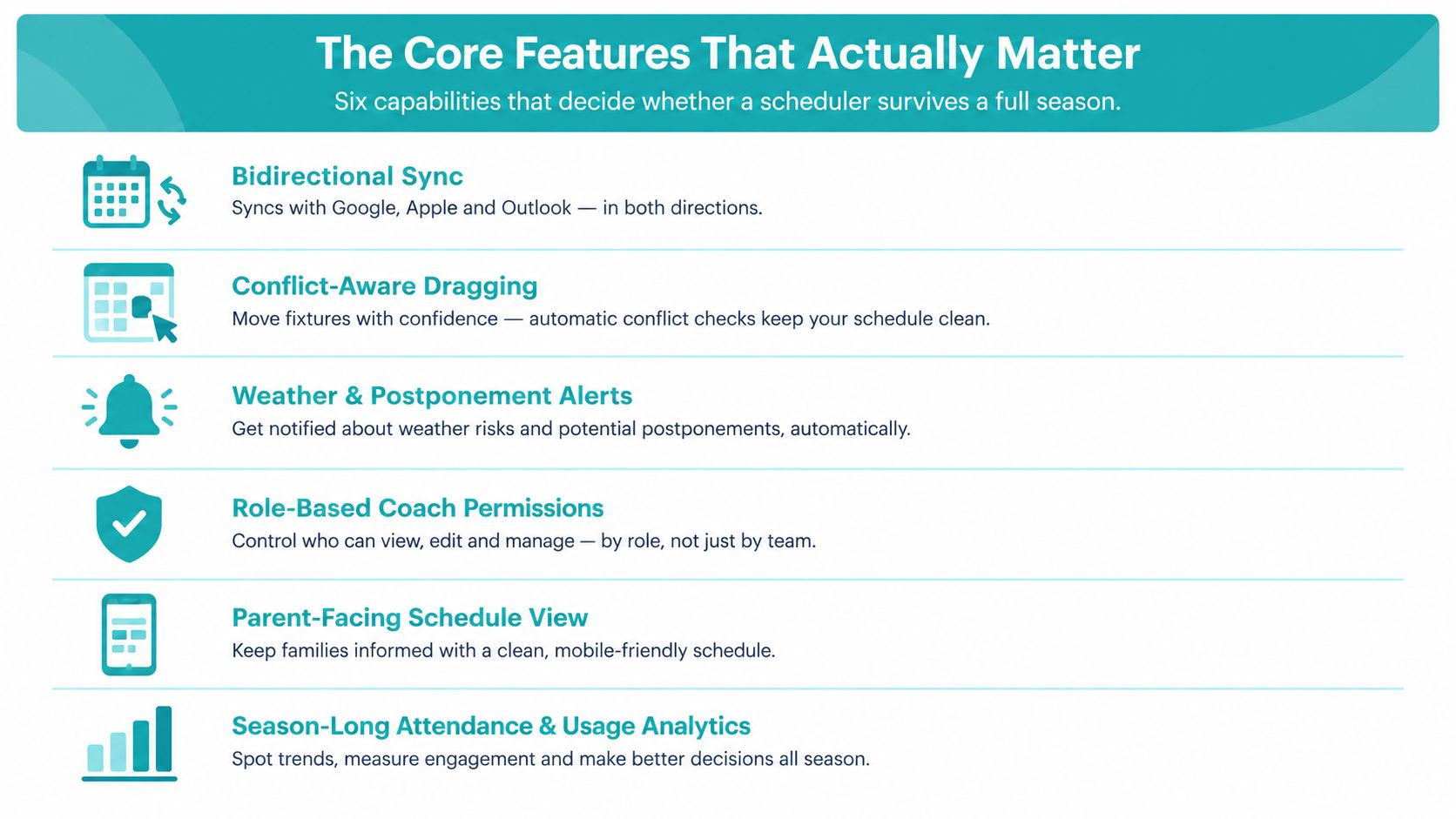
Six capabilities worth testing
Bidirectional calendar sync should work with Google, Apple, and Outlook. Test whether a change made in the club platform reaches the personal calendar, and whether the system handles cancellations without leaving stale events behind. One-way export is a convenient demo trick, not a reliable operating workflow.
Fixture import needs to accept league feeds, CSV templates, venue codes, and age-group suffixes. Ask the vendor to import a deliberately messy file. A rules-based parser should distinguish an under-13 team from an under-13 girls' team and map a venue code consistently. If staff must clean every row manually, the import feature won't save much time.
Multi-team rostering should support shared player pools, eligibility flags, and rotation rules. A player may belong to a training squad, a matchday group, and an emergency pool. The software must preserve those relationships without creating duplicate profiles.
Conflict resolution should identify double-booked fields, unavailable coaches, and suspended players before publication. Dragging a fixture to another slot is not conflict resolution if the platform doesn't explain the consequences.
Automated notifications should cover email, SMS, and push, with templates linked to event types and time windows. A postponement alert should not look like a routine training reminder. Parents need the new time, venue, arrival instruction, and response action in one readable message.
Audit trails and reports should show who changed a fixture, when they changed it, and what notifications went out. Exportable reports help a board treasurer understand usage and give a county FA investigator a defensible record.
Don't overpay for features that don't solve a live problem. A flashy public website, decorative team graphics, or a complex tournament bracket won't compensate for weak permissions, poor imports, or missing history. Put the money into the controls your administrators use every week. If payments are part of the same workflow, examine whether the platform can connect schedule participation with payment collection, rather than forcing families into another disconnected process.
Comparing Scheduling Platforms Side by Side
The right category depends on the club's main operational pain. An all-in-one club management suite may connect registration, payments, communication, and scheduling. A league-governance platform may handle eligibility and sanctioned fixtures well. A standalone scheduler can be focused and clean, while a community or open-source tool may offer flexibility at the cost of support.
| Platform Type | Calendar Sync | Fixture Import | Rostering | Conflict Resolution | Notifications | Typical Pricing |
|---|---|---|---|---|---|---|
| All-in-one club management suite | Usually broad, verify bidirectional behaviour | Often supports templates and integrations | Strong across teams and registration records | Should include resource and role conflicts | Email, push, and sometimes SMS | Subscription or modular |
| League-governance platform | Often centred on official fixtures | Strong for league-specific formats | Strong on eligibility, variable for development squads | Good for sanctioned rules, variable for venue detail | Official alerts, variable family controls | Per club, team, or participant |
| Standalone scheduler | Often good for common calendar tools | Usually CSV-led, integration depth varies | Basic to advanced depending on product | Core strength should be resource locking | Commonly email and push, SMS may cost extra | Subscription, often tiered |
| Community or open-source tool | Depends on configuration | Flexible but may require setup | Variable and often customisable | Depends on modules and maintenance | Depends on integrations | Free software may still require hosting and support |
Where each category hits a wall
The all-in-one suite suits a club that wants fewer handoffs, but it may include modules your volunteers never switch on. Ask whether you can disable complexity without losing core scheduling controls.
League-governance platforms are useful when eligibility, official competitions, and compliance dominate the workload. They can struggle with the club-level details parents care about, including rotating training groups, shared transport, and custom venue bundles.
Standalone schedulers often provide the best focus. Their weakness appears when you need registration data, player development, attendance, or payment records to influence a schedule. A community or open-source tool can be shaped around your process, but you may become responsible for configuration, maintenance, permissions, and troubleshooting.
The cheapest quote rarely remains the cheapest workflow once per-team fees, extra administrators, storage, support, or SMS credits appear.
Compare the total operating burden, not the headline subscription. The most expensive suite may oversell features a youth club will never use, while a low-cost team app may force the administrator to maintain several parallel records. Review a focused TeamSnap comparison alongside your own requirements, then choose the category that matches the problem you need to remove.
Participation-Aware Scheduling for Youth Players
A confirmed booking isn't the same as a successful sporting experience. A youth club can fill every pitch and still lose players who face awkward start times, repeated non-selection, long journeys, or an exhausting weekly pattern.
The participation challenge is visible in national data. The Youth Sport Trust's 2025 survey found that 20% of 15–16-year-olds never participate in sport or physical activity beyond PE, compared with 11% overall, and only 32% had represented their school at an external sporting event or festival in the previous six months. Those figures don't tell a scheduler which fixture to move, but they do challenge the assumption that maximum utilisation equals maximum impact.
The Active Lives Children and Young People Survey classifies children as active at an average of at least 60 minutes per day, fairly active at 30–59 minutes, and less active below 30 minutes. Its latest results reported 49.1% active, 22.5% fairly active, and 28.4% less active. A club scheduler should help coaches see gaps across the week, not merely confirm that one event exists.
Participation rules versus platform support
| Participation Rule | Standard Tools | Advanced Tools | Red Flag |
|---|---|---|---|
| Balance minutes across players | Attendance checkbox | Minutes played, rotation rules, and alerts | Team sheet is treated as equity |
| Respect medical or academic limits | Free-text note | Eligibility flags with controlled visibility | Restrictions live only in chat |
| Handle late withdrawals | Manual replacement | Auto-rebalance with coach approval | Replacement creates a second conflict |
| Include multi-child families | Separate player calendars | Household view, shared transport, and consolidated alerts | Parents receive duplicate or conflicting messages |
| Track goalkeeper rotation | Position note | Position-specific rotation history | The same player is always selected |
| Review retention | Event attendance | RSVP-to-attendance, age-segmented retention, and cancellation reporting | Every RSVP counts as success |
A director of coaching should test these scenarios during the demo. Pull a starter the night before a match. Mark a player unavailable for an academic commitment. Give one household two children at different venues. Rotate goalkeepers across a block of fixtures. Then ask the vendor to show the decision history.
Don't accept “attendance” as a green tick with no context. Ask whether the platform can separate a late cancellation from an access barrier, whether coaches can record adaptations, and whether reports reveal repeated non-selection. The best schedule may leave some capacity unused if it gives more players a realistic and consistent route to training and competition.
Inclusive Facility Bundles and Safeguarding
A venue coordinator doesn't book “Pitch Two” and walk away. They check whether the changing rooms are appropriate, whether access is open, whether lighting covers the departure window, whether the assigned volunteers are suitable, and whether the next group has enough time to arrive safely.
That context matters because facility access isn't binary. The 2025 APSE survey on changing facilities and gender access policies reported that 67% of councils provided unisex or gender-neutral changing options, while respondents also identified older buildings, limited privacy or space, and staff uncertainty as barriers. A club can't solve those constraints by adding a green “available” label.
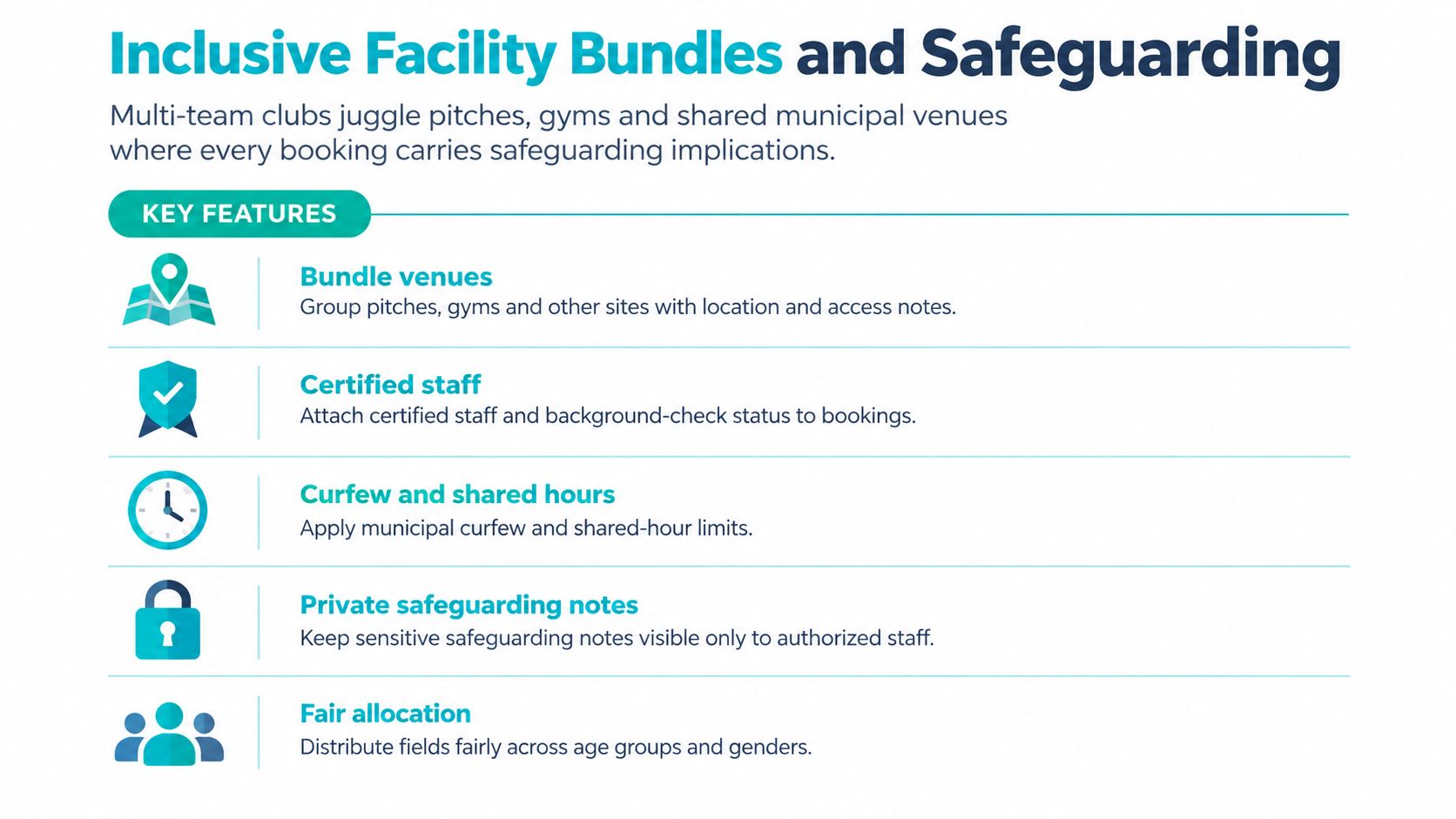
Build the booking around the whole facility
A proper venue record should bundle the playing area with capacity, changing-room allocation, accessibility information, lighting cut-off times, arrival instructions, key handoffs, and a realistic travel buffer. Add coach availability and safeguarding requirements to the booking, rather than storing them in a separate document.
Consider a late session at a remote municipal site. The administrator needs to know which coach is closing the facility, whether another checked volunteer is present, how the keys are transferred, and what happens if the match overruns. Ask vendors whether the system can flag lone-worker risk, restrict sensitive notes to authorised staff, and preserve incident logs after a booking is moved or cancelled.
A schedule can be conflict-free and still be unsafe or exclusionary. The platform should help administrators test whether changing provision supports the players attending, whether a disabled player can access the venue, and whether supervision arrangements remain valid after a time change. The Active Lives measurement framework distinguishes activity during and outside school hours, which reinforces why youth clubs need exact dates, times, venues, and event types instead of a vague weekly label.
Use this booking checklist:
- Access: Store entry routes, keys, parking, accessibility, and arrival notes.
- Capacity: Attach playing-space and changing-room limits to the venue record.
- People: Connect approved coach and volunteer assignments to each event.
- Privacy: Limit safeguarding and incident information by role.
- Buffers: Include setup, travel, changing, and departure time.
- Communication: Send different instructions to administrators, coaches, guardians, and players.
- History: Keep an audit trail for every move, cancellation, and approval.
Parents should be able to see that the club has planned the whole environment, not just the kickoff. Administrators should be able to demonstrate that planning without rebuilding the evidence after every change.
How to Roll Out a New Scheduler Without Chaos
The difficult part of buying sports scheduling software is the week you go live, not the demo. Treat the launch as an operational change, not a software switch.
Plan a two-to-four-week cutover. Start with one division as the pilot, preferably a group with a manageable fixture pattern and an administrator willing to report problems quickly. Don't migrate the entire club before you know how the system handles your venue codes, duplicate players, recurring events, and notification preferences.
Import in the right order
Clean the source data before connecting personal calendars. Import venues first, including blackouts, access notes, capacity, and naming conventions. Add teams and player records next, then coaches, referees, permissions, and contact preferences. Bring in fixtures only after those relationships are stable.
Run a validation pass against the spreadsheet. Check dates, start and end times, event types, team assignments, venues, and official contacts. A clean import is more valuable than a fast import because every error will otherwise multiply through calendars and messages.
The common failures are predictable:
- Calendar-first rollout: Staff sync personal calendars before contact records are clean, creating stale or duplicate events.
- Unconfirmed messaging: Automated alerts go live before email, SMS, and push opt-ins are checked.
- Full-club launch: Every parent receives access on the same day, overwhelming the support inbox.
- Untrained coaches: Coaches publish changes without understanding approval rules or venue conflicts.
- No fallback: The club has no agreed process for a weather postponement during the transition.
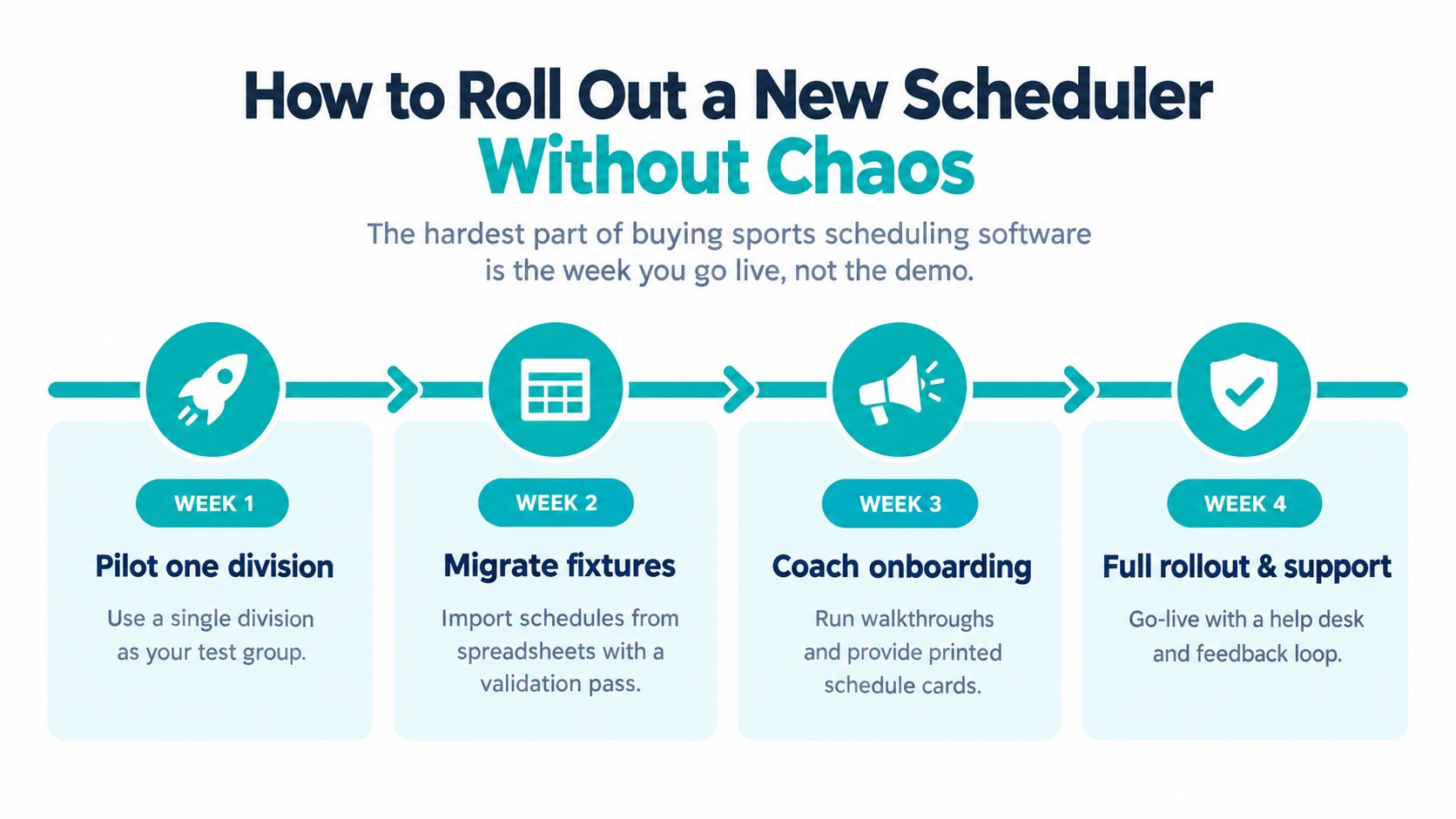
Tell coaches what changes, when it changes, and where they should ask for help. Give referees and facility partners the information they need before families receive the schedule. Open parent access after the pilot team has tested RSVPs, cancellations, travel details, and household views.
During the first season, track qualitative evidence and operational measures such as unresolved double bookings, late schedule changes, unanswered RSVPs, attendance gaps, support requests, and time spent preparing weekly fixtures. Use a practical calendar synchronisation workflow to verify that updates travel from the club record to the people who rely on them. The board doesn't need a polished launch story. It needs proof that the club is becoming easier to run.
Choosing the Right Platform for Your Club
Don't choose from a gut feeling after a friendly demo. Build a weighted scorecard from the way your club operates, then force every vendor to respond to the same weekend scenario.
Start with hard requirements. Record the number of teams, venues, age groups, and shared facilities. Note whether the platform must integrate with your registration system, whether parents depend on mobile push, and whether coaches need a dedicated mobile workflow. Include the operational details that vendors often bury, such as venue bundles, permission levels, fixture imports, attendance history, and data export.
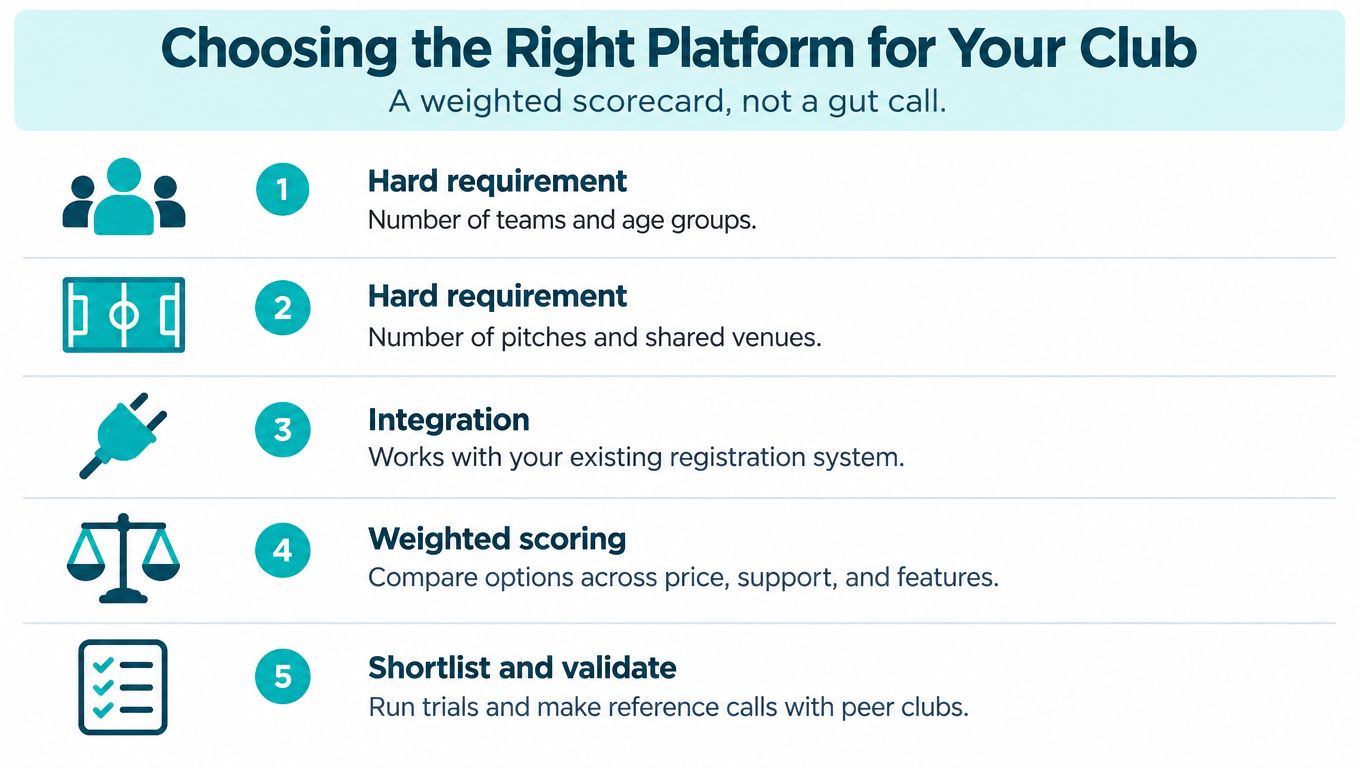
Put every contender through the same test
Give each platform a live scenario: three teams need the same pitch after a rainout. One coach is unavailable, a player is suspended, and a fourth team has a travel restriction. Watch what the scheduler does. Watch how clearly it explains the trade-off.
Score these areas separately:
- Fixture depth: Can the platform import league data and preserve your rules?
- Resource control: Does it lock pitches, rooms, officials, and coaches together?
- Roster judgement: Can it handle shared pools, rotation, eligibility, and late changes?
- Communication: Can it send the right message to each user group?
- Reporting: Can administrators review attendance, usage, changes, and unresolved issues?
- Support: Is onboarding practical for volunteers, not just technical staff?
- Commercial terms: Are data export, season rollover, additional users, and message charges clear?
Push on the contract before you sign. Ask who owns historical schedules if you leave, how data is exported, whether season rollover carries venue and roster history, and what happens when the club changes its registration system. Request two references from clubs with a similar number of teams and shared venues, then call those clubs yourself.
For wider planning, resources on streamlining league scheduling can help coordinators think beyond fixture publication and assess the full administrative workflow. Keep the decision grounded in your club's real constraints. The longest feature page isn't automatically the best fit, and the cheapest plan isn't a bargain if your volunteers must repair its gaps every weekend.
Vanta Sports brings administrators, coaches, guardians, and players into one connected system, with a web dashboard for teams, coaches, training, matches, events, venues, payments, and fixture imports, plus mobile workflows for RSVPs, attendance, communication, progress, and player development. If your club wants to test scheduling against participation and family communication rather than just calendar display, visit Vanta Sports and compare its workflow with the scorecard you built.
Choose one division for your pilot this week, collect three real scheduling scenarios from coaches and parents, and use them in every vendor demo. Then ask the board to judge the platform by fewer conflicts, clearer communication, safer facility planning, and more consistent opportunities for players, not by the number of buttons on the screen.
Tags