

Youth Development
10 Event Schedule Template Options for Youth Sports Clubs
Compare 10 downloadable event schedule template options for youth sports clubs and matches, from Excel and Sheets to printable PDFs, with use notes.

A busy Saturday morning can expose a weak event schedule template in minutes. Three pitches are active, one coach is late, equipment is still in the car, and parents are asking, “What time do the under-10s play?” A clear, shareable schedule gives everyone the same answer, shows who owns each task, and leaves room for the changes that always arrive.
The best template depends on the job it needs to do. A printed touchline sheet should be quick to scan. A volunteer master file needs owners, dependencies, and updates. A tournament plan needs movement time, equipment checks, safeguarding briefings, and contingency space. UK event-booking data shows why clubs should plan earlier, with median venue lead time rising from 57 days in 2022 to 79 days in 2025 according to Hire Space's UK event calendar analysis. For complex bookings, the lead time rose from 111 to 149 days, so a match-day timetable is only one part of the planning cycle.
Here are ten practical event schedule template options, each matched to the youth-club moment where it works best.
1. Canva Event Schedule and Agenda Templates
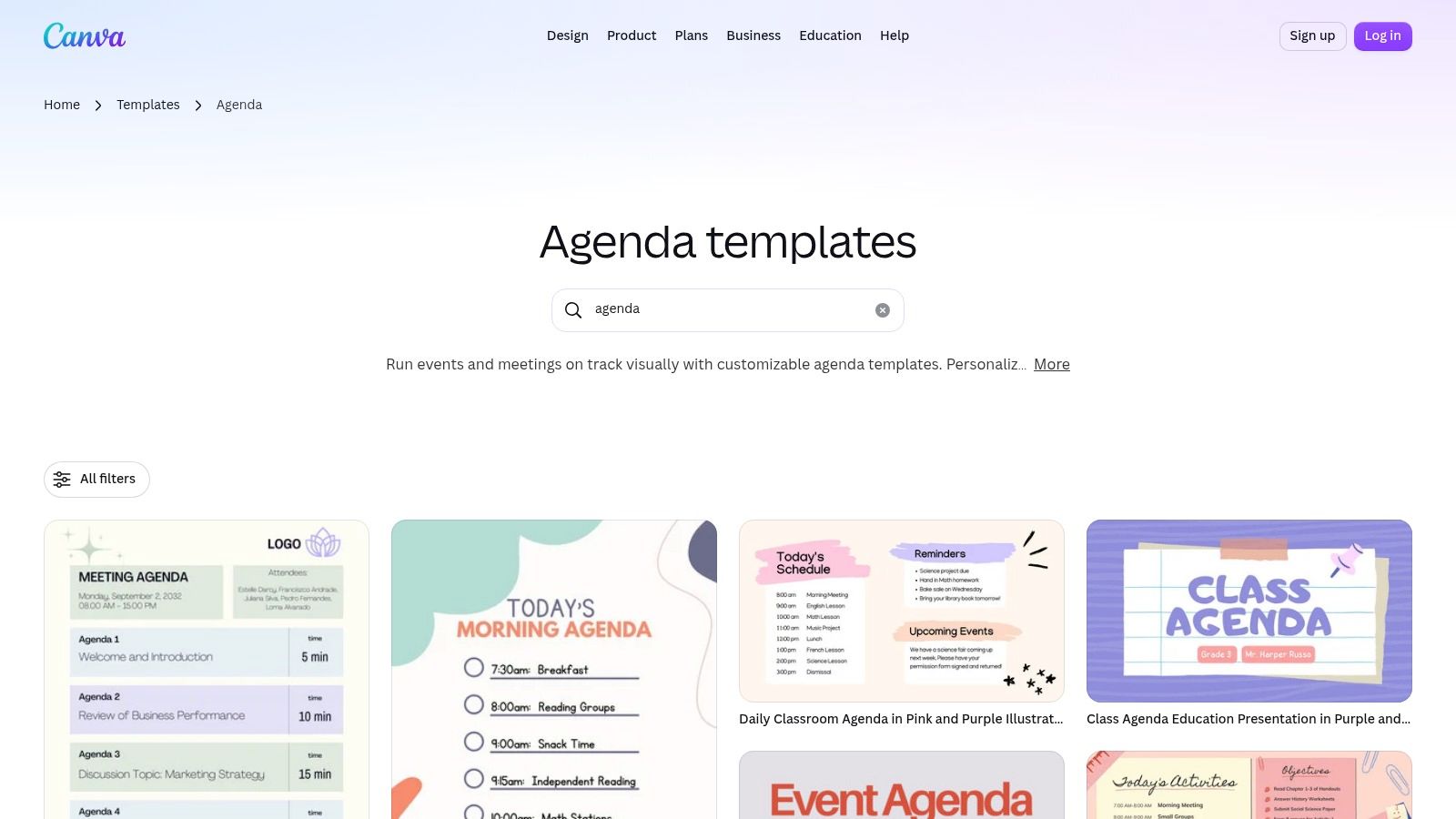
Canva is the easiest choice when the finished schedule needs to look good in a parent's hand or on a club noticeboard. Its agenda and event schedule templates offer ready-made layouts that can be adapted with club colours, team names, pitch information, arrival instructions, and emergency contacts.
The drag-and-drop editor makes it quick to create a polished fixture-day agenda. You can export the result as a PDF or image, or share it through a link. A Canva Pro Brand Kit helps clubs keep logos, colours, and fonts consistent across match-day schedules, posters, and presentation-day materials.
Best use for a youth club
Use Canva for the audience-facing version of your plan. Parents don't need every volunteer dependency or equipment movement. They need the date, arrival time, fixture, venue, pitch, opponent, parking guidance, and what happens if the weather changes.
A simple one-page design can include:
- Match information: Team, opponent, pitch, kick-off, and expected finish.
- Family guidance: Arrival window, kit reminder, parking, toilets, and collection point.
- Club contacts: Coach, welfare lead, event lead, and cancellation-update channel.
Practical rule: Design the parent sheet from the information they need, not from the internal planning file.
Canva's trade-off is important. It isn't a planning database, so an edited fixture won't automatically update every version you've exported. Build the operational schedule elsewhere, then use Canva for the final communication layer. For clubs comparing polished layouts with a more connected sports team schedule template, Canva works best as the presentation tool, not the source of truth.
2. Microsoft Excel Schedule Templates
Excel remains a dependable choice for clubs that need a printable run sheet and already know how spreadsheets work. The Microsoft Create schedule templates include schedule, timeline, and event-planning formats that open in Excel for the web or desktop.
This option suits a volunteer coordinating several rooms, pitches, or time slots. Add columns for event type, age group, venue, owner, setup, arrival, start, finish, changeover, and notes. You can also use formulas to calculate durations, flag clashes, or show whether a session finishes before the next group arrives.
When Excel earns its place
Excel's strongest feature is control. You can set print areas, repeat header rows, fit a run sheet to a page, and create separate tabs for the master plan, coach assignments, equipment, and parent-facing information. Sharing and co-authoring support joint editing, though the club still needs a clear process for avoiding conflicting copies.
A match-day workbook might include:
- Master schedule: Every fixture, training block, presentation, and break.
- Responsibility sheet: Coach, referee contact, setup lead, welfare lead, and first-aid contact.
- Change log: Time of change, person approving it, reason, and communication action.
- Printable run sheet: A simplified view for the touchline desk.
The weakness is distribution. Excel doesn't provide built-in attendee tools, so parents won't automatically receive a revised fixture unless someone sends it through the club's chosen communication channel. Heavy automation also requires spreadsheet confidence.
Choose Excel when the club needs a familiar, editable planning file with strong print controls. Don't treat the exported PDF as the live plan once fixtures, venues, or attendance start changing.
3. Google Sheets and Docs Template Gallery
Google Sheets and Docs work well when several volunteers need to maintain one shared schedule without passing files around. The Google Docs and Sheets workspace includes calendars and schedule formats that can be adapted into a match-day agenda, tournament run sheet, or season planning document.
The appeal is simple. A fixtures secretary can update the master file, a coach can add arrival notes, and a volunteer can check the latest equipment requirement from the same document. Version history gives the club a way to see what changed, while Google Drive keeps supporting documents near the schedule.
A good shared master file
Start with one row per event. Use consistent fields for date, event type, team, venue, start time, end time, coach, status, RSVP deadline, and communication owner. Add a second tab for volunteers and a third for changes that need sending to families.
Google Calendar can support the schedule, but clubs should decide which system owns each field. A calendar entry alone won't show whether the referee is confirmed, whether equipment has arrived, or whether the safeguarding briefing has been completed.
The native gallery may need customisation because it isn't built specifically for youth sport. Add-ons or integrations may be useful for more advanced workflows, but don't add complexity before the basics work. A clean sheet with one source of truth is better than an impressive system nobody updates.
For clubs wanting a more sports-specific workflow, compare this approach with a sports schedule creator. Google Sheets is particularly strong for quick collaboration, while a dedicated platform can connect the schedule to attendance and participant communication.
4. Miro Event Planning Template
Miro is made for the planning conversation before the timetable is final. Its event planning templates provide a large visual canvas where organisers can map activities, venues, responsibilities, breakouts, and logistics together.
That makes it useful for tournaments, holiday camps, club presentation days, and multi-team events where the physical layout matters. Coaches can place pitches on a board, volunteers can mark registration and refreshment areas, and administrators can identify where equipment needs to move between sessions.
Plan visually, publish simply
Miro supports comments, voting, and collaborative whiteboarding. That helps a club reach agreement before someone turns the plan into a formal run sheet. It also makes dependencies visible. If a presentation needs the main pitch, the microphone, and a clear spectator route, those requirements can sit beside the relevant activity.
The practical workflow is:
- Map the day: Put activities, spaces, people, and equipment on the canvas.
- Test the movement: Check how teams, officials, parents, and volunteers move between areas.
- Export the decision: Turn the agreed plan into a PDF or a more structured operational schedule.
Miro's weakness is the same feature that makes it flexible. It isn't a database, so roster changes and registration information must be synchronised manually. Long printed agendas also need careful formatting because a zoomable board doesn't automatically become a tidy two-page handout.
Use Miro when the club needs to design the event together. Use a spreadsheet or club platform when the plan needs daily updates and participant-level tracking. The distinction matters, especially when sports event planning involves several audiences with different responsibilities.
5. SessionLab Session Planner
A tournament morning often goes wrong in the gaps. Registration runs long, one coach needs two extra minutes, the awards table is not ready, and suddenly every printed time is off. SessionLab is built for that kind of day. Its Session Planner lets a club move timed agenda blocks and have the rest of the schedule adjust with them, which is far easier than retiming row after row in a spreadsheet.
For youth clubs, the value is not a bigger feature list. It is having a reliable run sheet for the person on the mic, the lead coach, or the volunteer keeping the hall, pitch, or clubhouse on time. If the job is to keep a workshop, camp rotation, or presentation event moving block by block, SessionLab fits well.
I would use it for events where timing discipline matters more than season admin.
A practical setup might include short blocks for registration, welcome, warm-up, drills, water, team changeover, awards, and close-down. Drag one block later and you can see straight away whether the session still fits, whether a break disappears, or whether handover time has become too tight. That helps organisers protect transition time, which is usually where busy club days start to slip.
SessionLab also supports collaboration, multi-day agendas, and exports to PDF or Word, so one person can build the schedule and another can share a cleaner version with staff or parents. The template library is useful too, especially for volunteers who need a starting structure rather than a blank page.
It does have limits. SessionLab is not the place to manage RSVPs, ticketing, or a full club database, and some team features may sit behind a paid plan. For a season-long master file, a spreadsheet or club system is still easier to maintain. For a minute-by-minute event playbook, SessionLab is usually the better tool.
6. Notion Event Planning and Coordination Hub
On a busy match day, one volunteer is chasing kickoff times, another needs the gate list, and a parent wants the latest venue note on their phone. Notion handles that kind of club coordination well because it keeps the schedule, task list, and reference pages in one place. The Event Planning and Coordination Hub suits clubs that want one shared master file rather than a stack of separate documents.
I would use Notion for the club's back-office view of an event, not as the touchline sheet you hand to families.
That distinction matters. A youth club can keep training sessions, fixtures, tournaments, meetings, and presentation days in one system, then connect each event to venue notes, coach details, equipment lists, and draft messages. For a volunteer team, that saves the usual hunt through old emails and chat threads.
Notion earns its place over a season because it keeps the club's operating memory. Open last month's tournament page and you can see what worked, what changed, who covered which job, and what needs fixing before the next one. Template pages also help standardise the repeat jobs that often get missed, such as arrival times, setup checks, referee or official reminders, safeguarding notes, weather contingencies, and close-down actions.
A setup that works in practice often links a few simple databases:
- Sessions: Date, time, team, activity, coach, and status
- Venues: Address, access notes, parking, changing rooms, and restrictions
- People: Staff role, contact method, and assignment
- Tasks: Owner, deadline, dependency, and completion status
The trade-off is admin discipline. Notion takes more setup than a plain spreadsheet, and if you overbuild it, occasional helpers will stop using it. Keep the family-facing page read-only and stripped back to confirmed details only. Test it on a phone before sharing it.
7. ClickUp Event Planning Template
On a busy match day, ClickUp works best as the volunteer control sheet behind the scenes. The Event Planning Template suits clubs that need owners, deadlines, and clear handoffs across dozens of moving parts, from venue confirmation and referee allocation to first aid, refreshments, signage, and pack-down.
That job focus is its strength.
If your club runs the same tournament or presentation day more than once, ClickUp can become the season playbook. Set up the first event properly, then copy the structure, shift the dates, and keep the task flow. Dependencies help volunteers see what is blocking the next job. Automations can move routine admin along without someone chasing every status change by hand.
I would set it up around the jobs people do, not around every feature available. One space can hold the planning timeline. Another can cover the day itself. A short Doc can give coaches and team managers the version they need: timetable, contacts, welfare notes, rules, and what to do if something goes wrong. After the event, keep a simple follow-up area for missing kit, issues to fix, and messages still to send.
ClickUp is less useful as the sheet you hand to families at the touchline. It is still a task-first tool, and that matters. The calendar helps staff organise work, but it does not replace a clean public schedule. New helpers can also find the feature depth heavy if all they need is fixture times and arrival details.
Choose it when several volunteers share responsibility and repeatable workflows matter. Keep the parent view separate, or publish a stripped-back read-only version with confirmed details only.
8. Airtable Event Planning Templates
Saturday gets messy fast. One parent wants the arrival time, a coach needs the pitch allocation, and the volunteer on the gate only needs the final schedule. Airtable works well when one youth club event has to turn into several clean views without everyone editing the same sheet.
Its event planning templates suit that job. You can keep one master base for fixtures, sessions, venues, staff, and attendance, then show each group only what helps them do their part. That is the win for a club. The shared master stays consistent, while families, coaches, and organisers each get a version they can use.
I would use Airtable when a flat spreadsheet starts causing repeat admin. A venue record can be entered once and linked everywhere it is needed. The same goes for coaches, officials, or session leaders. If a pitch changes, you update one place, then filter the parent view, the staff view, or the volunteer view from the same source.
For a youth club, that usually means practical setups such as:
- A master operations file: Fixtures, training blocks, venues, contacts, and status fields in one place.
- A touchline view for families: Confirmed times, locations, and arrival details only.
- A volunteer view: Setup jobs, changeovers, welfare cover, and who is on duty.
- A season template: Copy the structure for the next festival, trials day, or holiday camp.
There is a trade-off. Airtable rewards careful setup. Field names, status labels, and team naming need to be controlled early or the filters get scrappy. New helpers may also need a short handover before they can edit with confidence.
Choose it when your club needs one reliable source behind several match-day views, not just another spreadsheet with more tabs.
9. Smartsheet Event Planning Templates
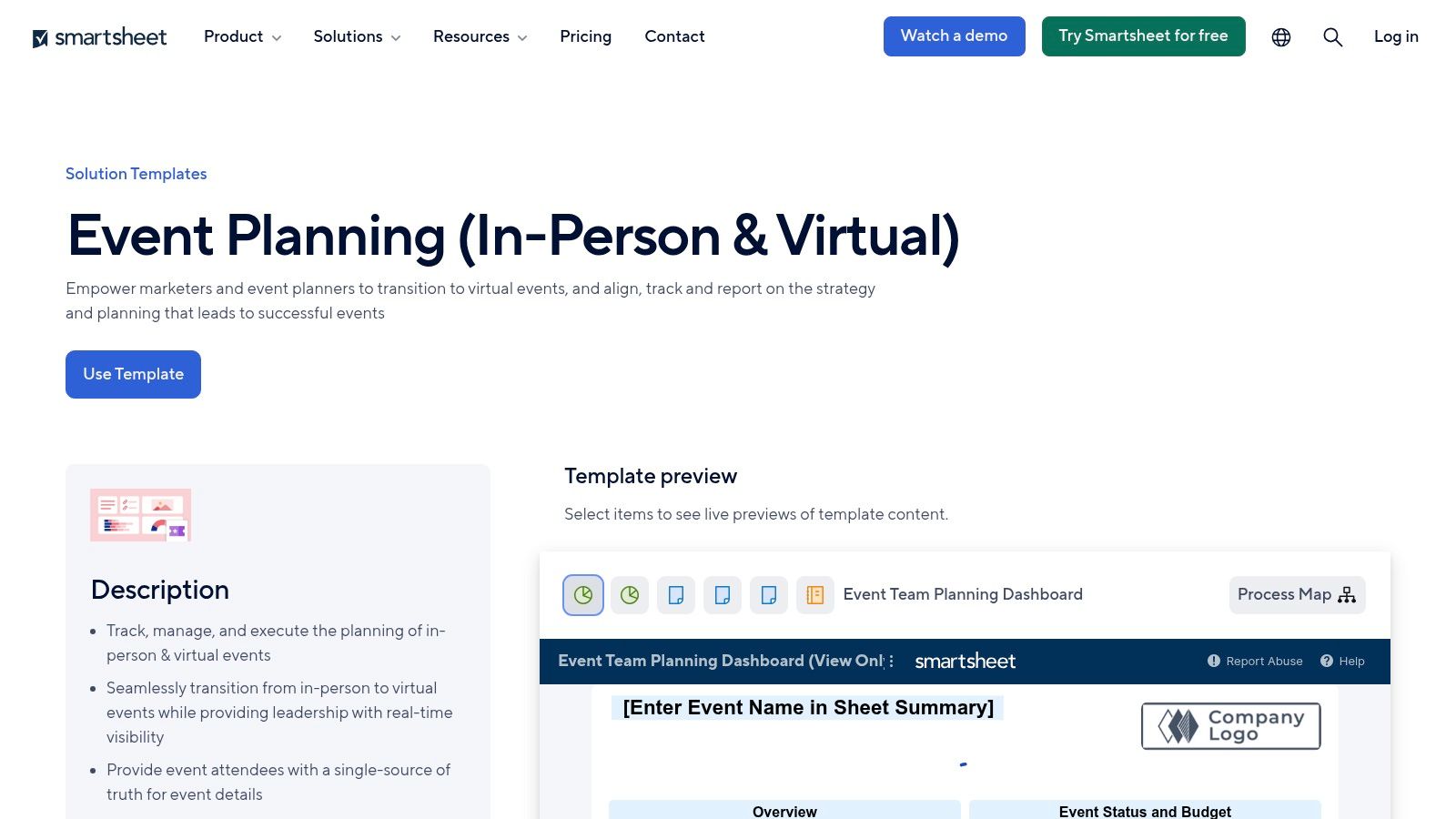
Smartsheet suits clubs that need to open the planning record early, long before every fixture detail is settled. Its event planning template gallery includes Grid, Gantt, Calendar, and Board layouts, plus dashboards and permissions, which is useful when one shared file has to serve organisers, committee leads, and match-day helpers without everyone seeing the same level of detail.
For a youth club, the key question is job fit. Smartsheet works well as the season playbook that sits behind a tournament, festival, assessment day, or any busy programme with moving parts across venues and people. Parents do not need the full build. The ops team usually does.
I would pick it for the days where a simple running order hides too much risk. A kickoff time can be in the diary while the venue contact is still unconfirmed, the welfare lead is not assigned, or equipment collection has no owner. Smartsheet keeps those dependencies visible, and that matters when several volunteers are each handling one slice of the day.
A practical club setup might track a few core lanes:
- Venue confirmation: Access times, site contact, and facility status.
- Staffing: Coaches, officials, welfare cover, and volunteer assignments.
- Participant response: Availability, RSVP cut-offs, and follow-ups.
- Delivery readiness: Equipment, communications, safeguarding, and final checks.
The Meetings Industry Association insights report reported that enquiries arrived approximately 11 weeks before an event in February 2024, down from a previous 15-week average. That is a fair reminder to set up the master record early, then keep approvals tight when details change. The same report said only 13% of respondents used AI for daily event operations, so clubs still need a human check on schedule edits and status updates.
It is more system than some clubs need. If you are also comparing broader sports scheduling software, choose Smartsheet when ownership, dependencies, and dashboard reporting matter more than speed of setup.
10. Eventbrite Event Schedule Template and Organiser Tools
Eventbrite is the practical choice when the schedule sits alongside registration, ticketing, attendee communication, and public discovery. The Eventbrite UK organiser pricing page links to a downloadable event schedule or run-of-day resource, while the platform handles listings and attendee workflows.
That combination can work for an open tournament, club fundraiser, coaching clinic, awards evening, or community sports event where people outside the regular membership need to register. UK organisers can work with GBP-based pricing and payout options, and recurring events are supported.
Choose it for public-facing participation
Eventbrite gives organisers more than a document. An attendee can find the event, register, receive communications, and access the published information. That reduces the separate work involved in collecting names and sending reminders for events with a wider audience.
It isn't automatically the right answer for weekly club fixtures. Paid tickets incur platform and payment-processing fees, which may be less attractive for low-cost activities. A private youth-club match also doesn't need marketplace discovery or a ticketing flow.
Use Eventbrite when registration is central to the event. Keep the operational run sheet richer than the attendee schedule, with setup, equipment, safeguarding, volunteer assignments, and emergency arrangements. For specialist event video needs, clubs can also explore conference video production, but that sits outside the schedule itself.
Top 10 Event Schedule Template Tools, Feature Comparison
| Tool | Core features | UX & Quality (★) | Price / Value (💰) | Target audience (👥) | Unique selling points (✨ / 🏆) |
|---|---|---|---|---|---|
| Canva Event Schedule & Agenda Templates | Drag‑&‑drop layouts; Brand Kit; PDF/image export | ★★★★☆ polished, easy | 💰 Free; Pro for Brand Kit | 👥 Clubs, parents, marketing/admins | ✨ Fast on‑brand schedules; 🏆 huge template library |
| Microsoft Excel Schedule Templates | Spreadsheet templates; formulas; print controls | ★★★★☆ familiar, precise | 💰 Included with Office/M365 | 👥 Ops admins, venue schedulers | ✨ Formula automation & print fidelity; 🏆 spreadsheet power |
| Google Sheets / Docs Template Gallery | Shareable templates; real‑time edit; Drive/Calendar links | ★★★★☆ collaborative, ubiquitous | 💰 Free (Google acct); add‑ons optional | 👥 Coaches, staff, volunteers | ✨ Live collaboration & simple sharing; 🏆 low friction |
| Miro Event Planning Template | Zoomable whiteboard; comments & voting; PDF export | ★★★☆☆ visual, collaborative | 💰 Free tier; paid for advanced | 👥 Organizers, tournament planners | ✨ Visual co‑design for layouts; 🏆 stakeholder alignment |
| SessionLab Session Planner | Drag‑drop timed blocks; template library; multi‑day export | ★★★★☆ minute‑by‑minute accuracy | 💰 Freemium; paid for full collab | 👥 Facilitators, session planners, coaches | ✨ Auto‑timing blocks; 🏆 best for run‑of‑show precision |
| Notion Event Planning & Coordination Hub | Databases, relations, timeline & calendar views | ★★★☆☆ highly customizable (setup req.) | 💰 Free + paid tiers | 👥 Ops managers, multi‑venue clubs | ✨ Relational hubs & publishable pages; 🏆 extreme flexibility |
| ClickUp Event Planning Template | List/Board/Calendar; tasks, dependencies, automations | ★★★★☆ powerful but deep | 💰 Free tier; paid for automations | 👥 Scaling clubs, admin teams | ✨ Automations & remappable playbooks; 🏆 all‑in‑one ops |
| Airtable Event Planning Templates | Relational bases; calendar/timeline; forms & integrations | ★★★★☆ flexible, filterable | 💰 Free limited; paid for advanced | 👥 Leagues, tournaments, data‑led admins | ✨ Relational model + forms; 🏆 ideal for multi‑track events |
| Smartsheet Event Planning Templates | Gantt/Grid/Calendar; dashboards; permissions | ★★★★☆ robust for complex events | 💰 Paid (enterprise pricing) | 👥 Large clubs, multi‑day tournament organizers | ✨ Dashboards & dependency mgmt; 🏆 executive visibility |
| Eventbrite (UK) – Schedule Template + Organizer Tools | Schedule resource + end‑to‑end ticketing & communications | ★★★★☆ attendee‑facing & discoverable | 💰 Fees on paid tickets; payouts in GBP | 👥 Public events, ticketed camps, paid tournaments | ✨ Integrated ticketing & marketplace; 🏆 audience discovery |
Pick One Template and Build Your Whole Season Around It
The right event schedule template isn't the one with the longest feature list. It's the one that solves the problem waiting for you on Saturday morning.
If parents keep asking where to go and when to arrive, start with Canva or a clean Google Sheet that produces a clear, mobile-friendly handout. If volunteers lose track of setup, referees, equipment, and communications, use Excel, ClickUp, Smartsheet, or Airtable to assign owners and expose dependencies. If your event needs a carefully sequenced programme, SessionLab can protect the timing. If the club needs to design a complex layout together, Miro gives the planning group a useful visual workspace.
Don't force one view to serve everyone. Administrators need the full operational record. Coaches need arrival, activity, equipment, participant, and welfare information. Parents need confirmed times, locations, travel guidance, RSVP instructions, and a reliable change channel. Players need an encouraging, easy-to-follow plan that makes the day feel exciting rather than confusing.
A strong club schedule should include more than event date and start time. Hire Space's recent UK booking analysis found that the median venue lead time reached 79 days in 2025, up from 57 days in 2022, while the most complex bookings reached 149 days, as reported in the underlying event-calendar analysis. Use that longer horizon to record the initial planning date, venue deadline, coach assignments, participant-response deadline, payment milestone, equipment check, communications schedule, and final attendance confirmation.
The day itself needs operational detail. Separate participant-facing time from delivery time. Add arrival windows, registration, warm-up, referee checks, changeovers, equipment movements, safeguarding briefings, breaks, overruns, and recovery space. Age groups may need different match durations. Manchester FA's 2025/26 youth competition rules specify 30 minutes each way for Under-12 matches and 35 minutes each way for Under-13 and Under-14 matches, so a tournament schedule shouldn't apply one generic game length to every team. The Manchester FA youth competition rules provide the relevant example.
Accessibility belongs in the timetable, not in a forgotten venue note. The Sports Grounds Safety Authority accessibility guidance recommends attention to transport and drop-off, accessible facilities, emergency egress, viewing areas, signage, communication support, staff training, and access planning. Give each relevant action an owner, confirmation deadline, alternative route, and emergency arrangement. That helps disabled children, spectators, carers, coaches, and volunteers experience the event as part of the plan from the beginning.
For younger players, clear activity blocks matter too. Sport England's 2024/25 Active Lives Children and Young People results classify 49.1% of children as active, 22.5% as fairly active, and 28.4% as less active, based on average daily activity categories described in the survey results. A timetable can't solve participation on its own, but it can make warm-ups, matches, breaks, and optional activity visible and purposeful. The dataset also distinguishes school and out-of-school activity, including indoor and outdoor sessions, which supports clearer event labels in the calendar. The Active Lives dataset gives the wider context.
Start with one template and improve it after every event. Keep a change log. Record what ran late, which message parents missed, where equipment was left, and which handover worked well. Then turn that learning into a season playbook that a new volunteer can follow without needing the original organiser beside them.
Vanta Sports can keep fixtures, RSVPs, attendance, venues, and event details aligned with the schedule families see. Administrators can manage training, matches, and events, while guardians receive updates through a responsive app and coaches work from their own operational view. That connection helps the printed plan and the live plan stay together instead of drifting into separate versions.
Vanta Sports brings clubs, coaches, guardians, and players into one connected system for scheduling training, matches, and events, with RSVP and attendance information alongside the details families need. Visit Vanta Sports to explore a practical way to turn your event schedule template into a reusable season workflow.
Tags